
How to Play Sol Kingdoms
Everything a new ruler needs: building your city, training troops, exploring the map, joining an alliance, events, the campaign and how SFORGE works.
◈1. Create your ruler
Sol Kingdoms is a kingdom-building strategy game in your browser. You grow a city, train an army, lead commanders, join an alliance and fight for a shared kingdom map. It uses the SFORGE token on Solana mainnet, the same token as SolForge.
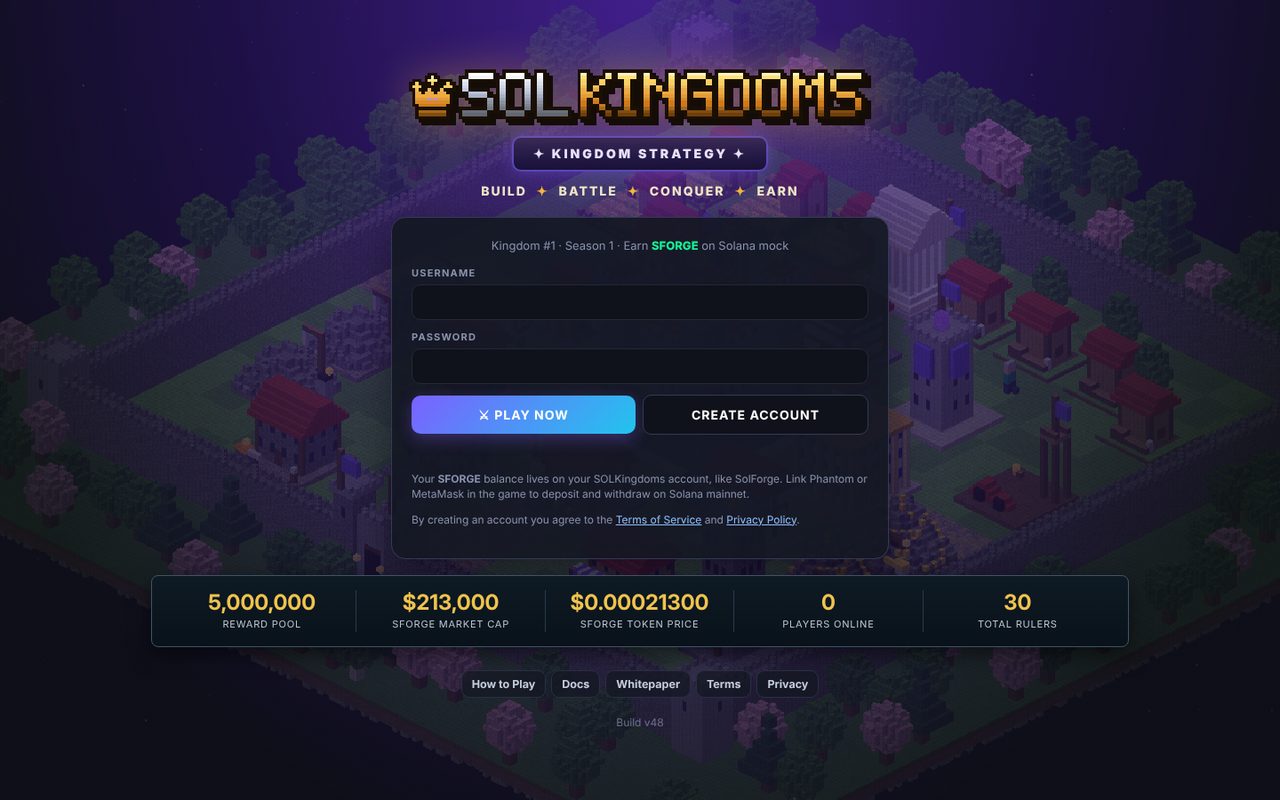
- Open the game and choose Create account. Pick a username and a password of at least 8 characters. You don't need a wallet to play.
- Choose a civilization. Each of the 8 civilizations gives two small perks and colours your city (see Civilizations). A Civilization Change item lets you switch later.
- Your city appears on the kingdom map with a 3-day peace shield, so nobody can attack you while you learn.
- Follow the tutorial. A guide card in the corner tells you what to upgrade and do next, and a glowing ring points at the building or button. Show me opens it for you, each step pays a small reward, and you can Skip tutorial at any time (restart it from your account menu).
- Follow the story quests (the Quests button). They walk you through your first buildings and pay resources, speedups and, at the end, SFORGE.
◈2. Account rules (read this)
Admin accounts (like SOLKINGDOMS, which holds the Reward Pool) run the server and don't play: they have no city on the map, can't upgrade, train or march, and never appear in rankings.
◈3. Find your way around
Top bar
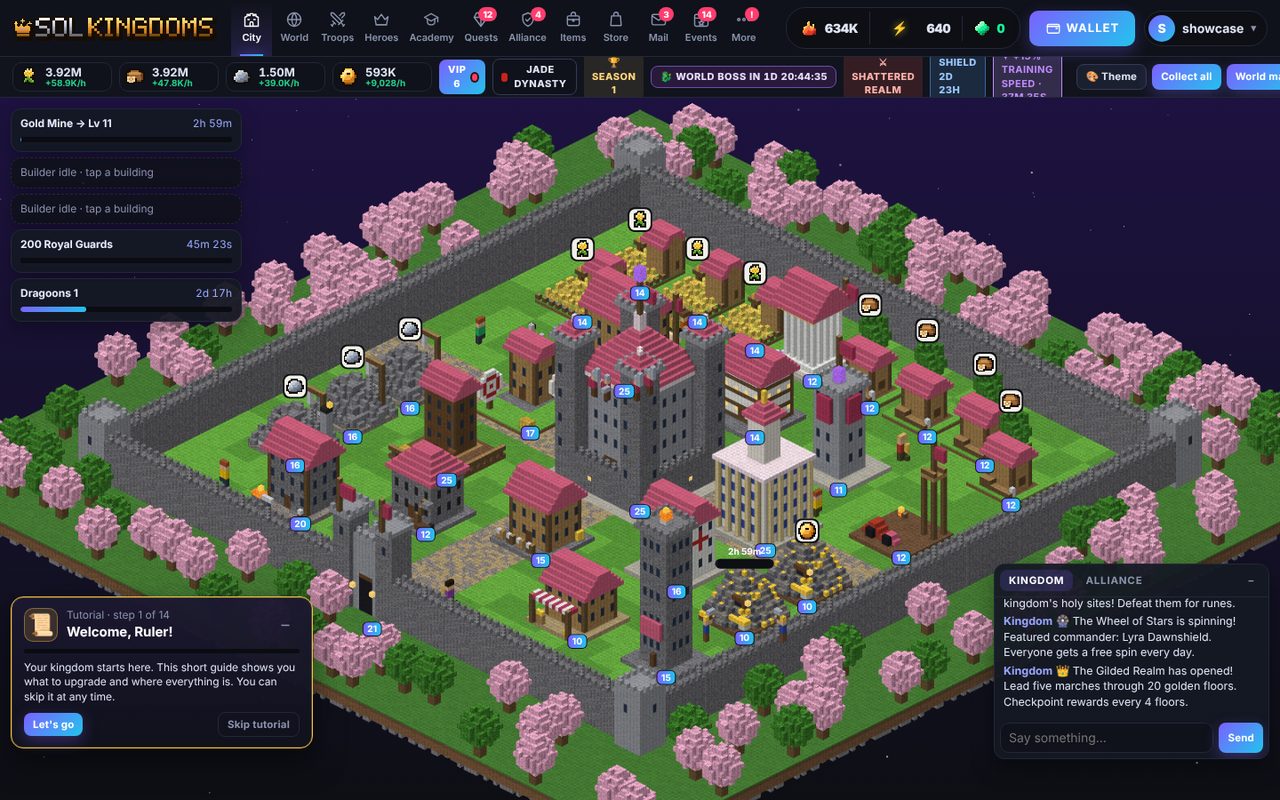
Food, wood, stone and gold with their hourly income, your power, Action Points and SFORGE balance. The chips below show VIP, civilization, season, shield and active buffs.
Navigation
City and World switch views. Troops, Heroes (commanders), Academy, Quests, Alliance, Items, Store, Mail, Events and Campaign open panels.
Timers
The left column lists building upgrades, training, research and marches. Tap a timer to speed it up or finish it.
Chat
Kingdom and alliance chat. Tap – to minimise it; the map tools (Search, Bookmarks, Kingdoms) move down with it.
Hover names
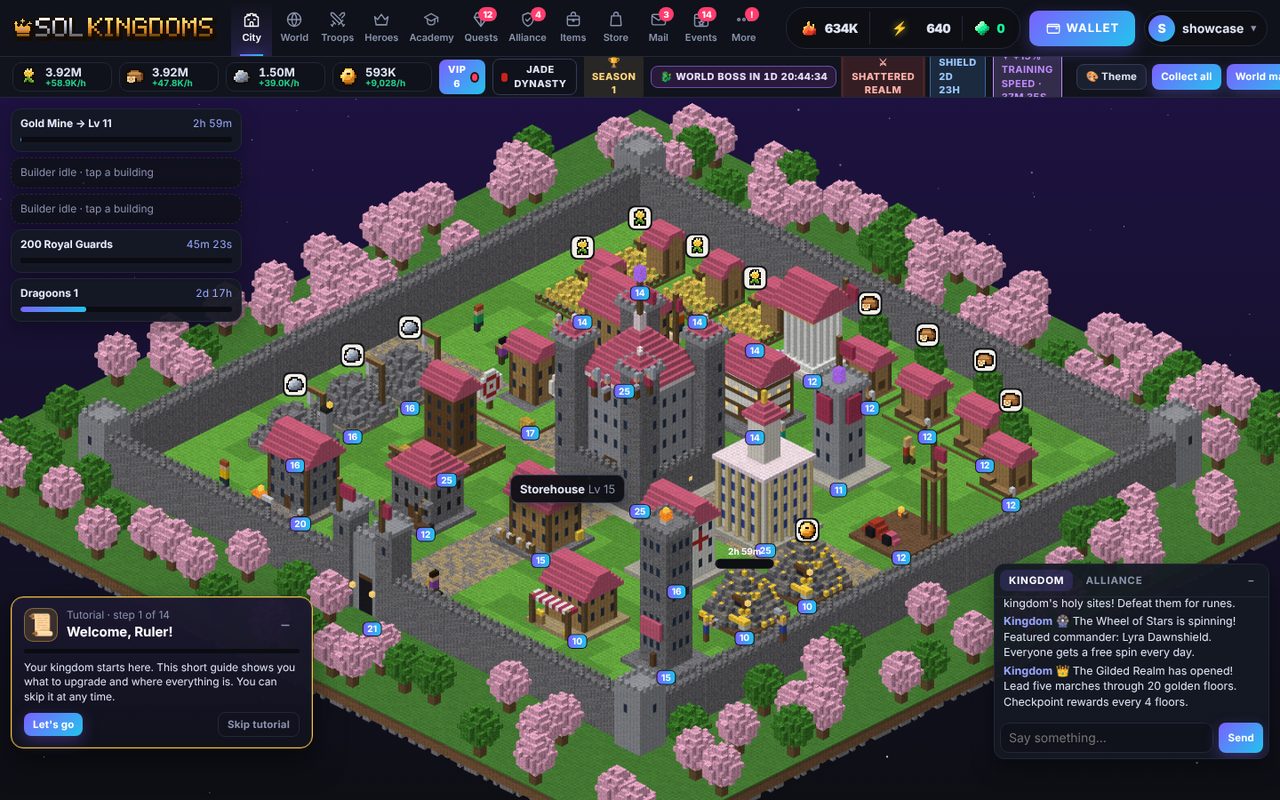
On a computer, point at any building to see its name, level and what it's doing.
Red badges
A red number means something is waiting: an unread report, a quest to claim, or an event reward. Event tabs with a reward glow and show !.
◈4. Build and upgrade
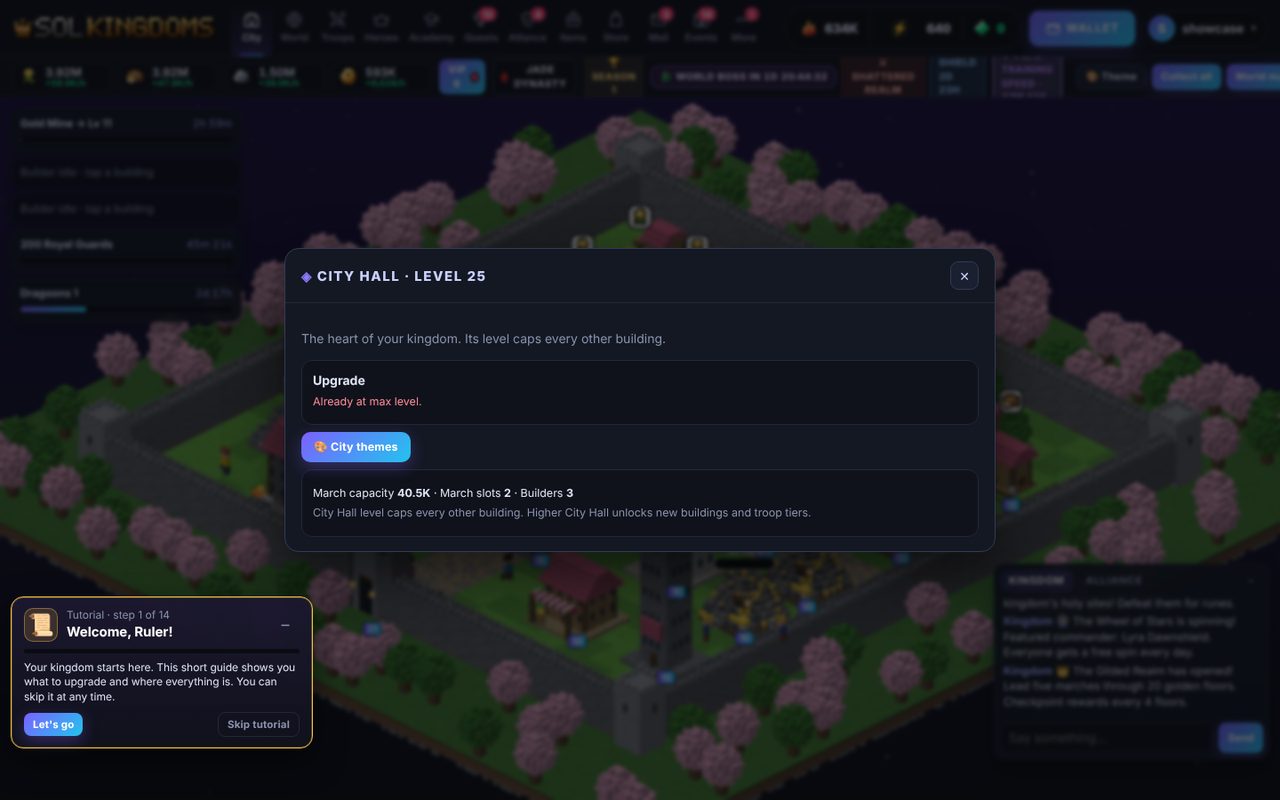
Tap any building (or an empty plot) to open it. The Upgrade button shows the cost and time. City Hall sets the maximum level of every other building, so keep it ahead.
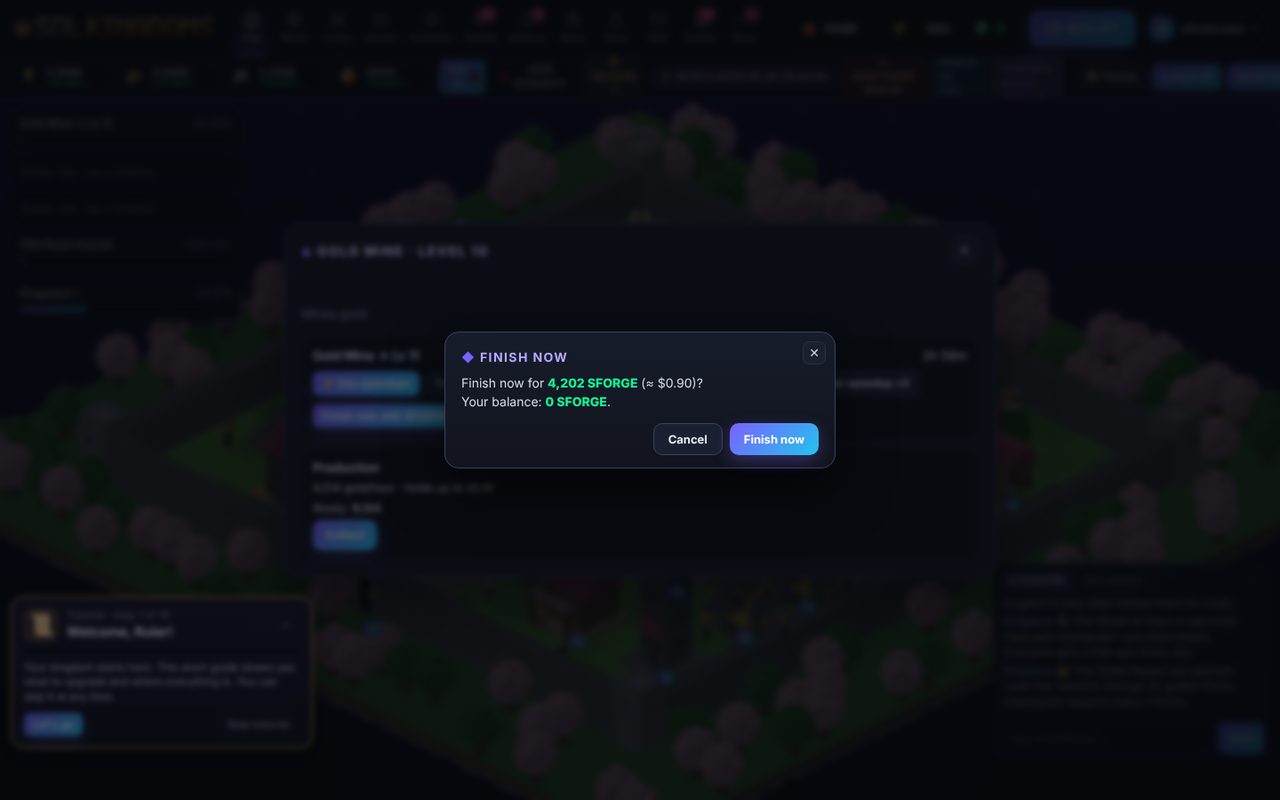
- Builders: you start with 2 building queues and get a 3rd at VIP 6. While a building upgrades, little builders hammer on it.
- Production: Farms, Lumber Mills, Quarries and Gold Mines fill up over time. Tap the floating icon (or Collect all) to bank it.
- Speedups: use speedup items, ask your alliance for help (each helper cuts the timer), or finish now for SFORGE at about $0.30 of SFORGE per hour.
- Unlocks: new buildings unlock with City Hall: Quarry at 4, Siege Workshop and Trading Post at 5, Blacksmith at 8, Gold Mine and Hall of Sages at 10.
◈5. Train your army
Barracks train infantry, the Archery Range archers, the Stable cavalry and the Siege Workshop siege. Higher building levels unlock higher tiers (T1 to T4, and T5 through Academy research at City Hall 25). Recruits drill beside the building while they train, and archers practise on a straw butt. Townsfolk, kids and dogs wander your streets, and more appear as City Hall grows.
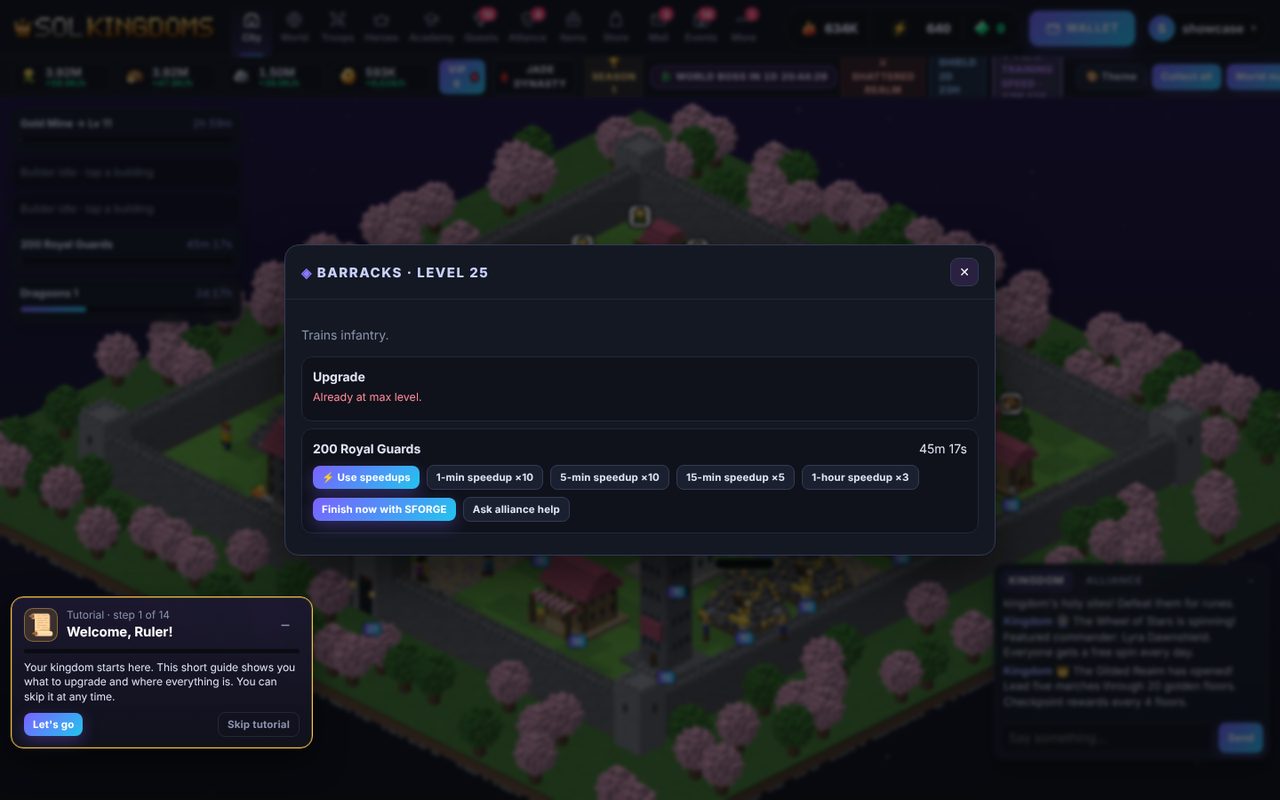
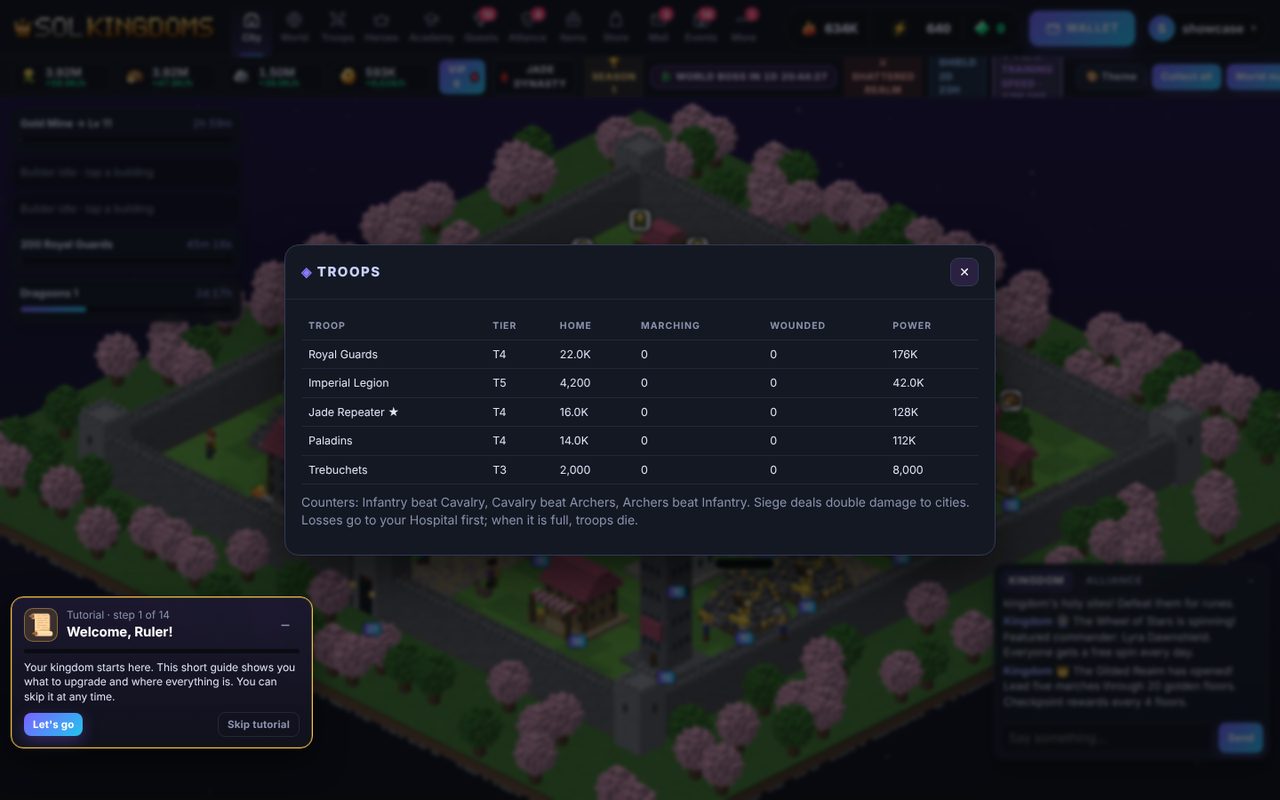
| Type | Strong against | Notes |
|---|---|---|
| 🛡 Infantry | Cavalry | Tough front line |
| 🐎 Cavalry | Archers | Fastest marches |
| 🏹 Archers | Infantry | High attack, low defense |
| ☄ Siege | Cities | Double damage to cities; carries the most |
◈6. Research and commanders
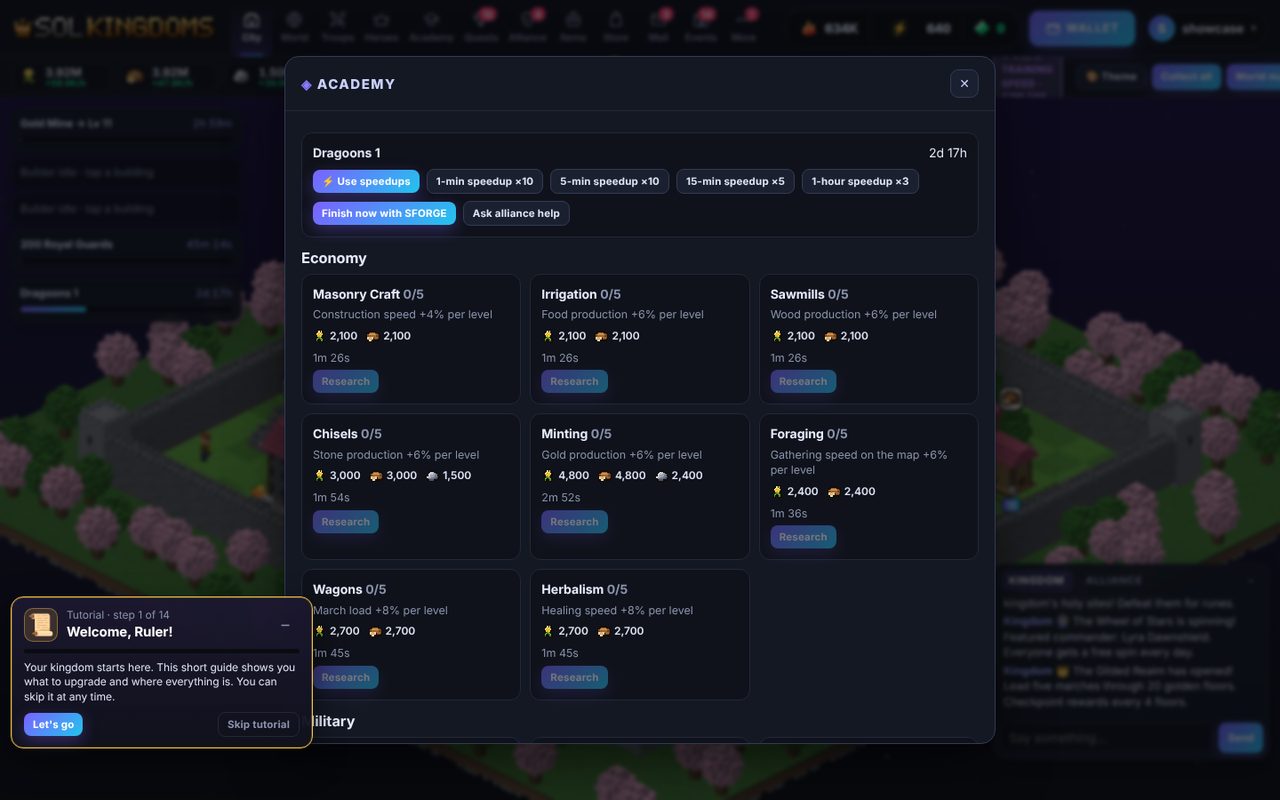
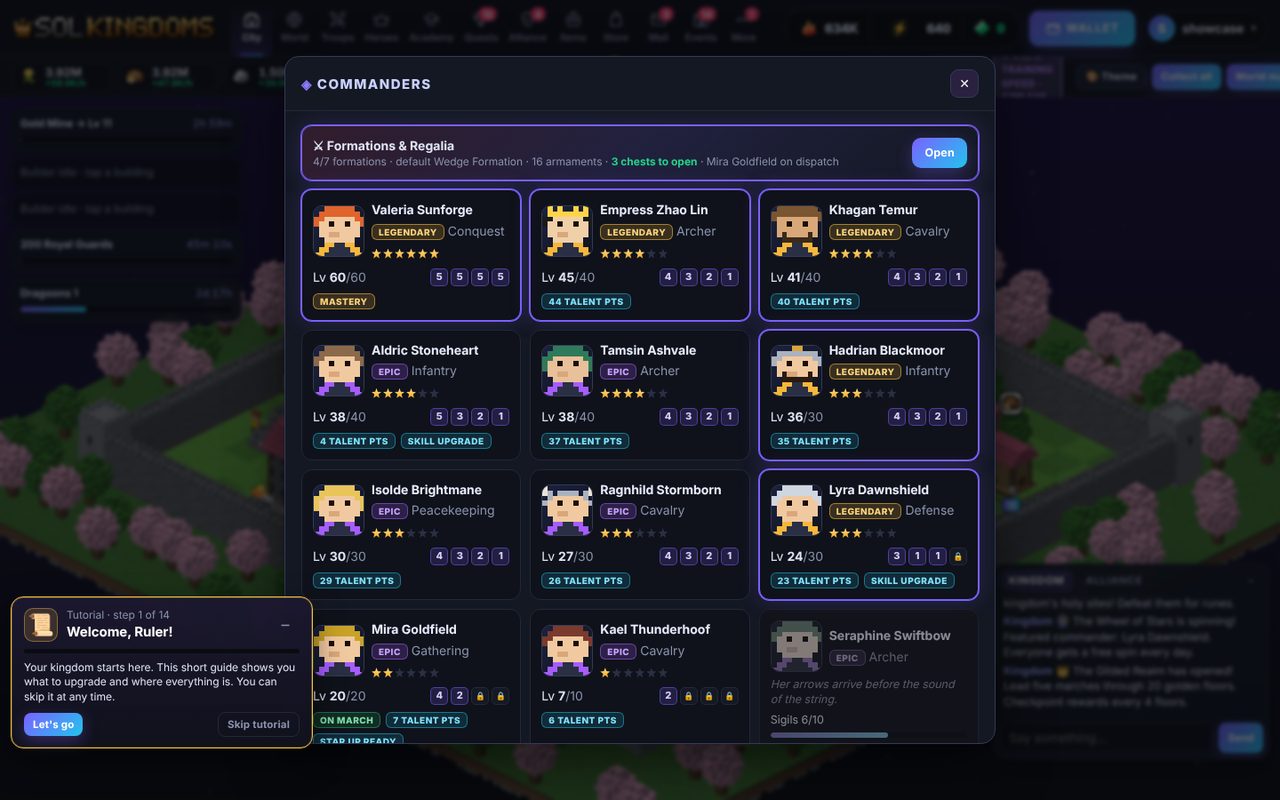
The Academy has 22 technologies: Economy (construction, production, gathering, march load) and Military (troop stats, new tiers, march size). Commanders lead your marches. Each has 1 to 6 stars, 4 skills that unlock with stars, an Mastery skill at the top and three talent trees. Level them with XP tomes and battles, star them up with Starstones, and upgrade skills with sigils of that commander. Open Tavern chests for sigils and new commanders.
◈7. The world map
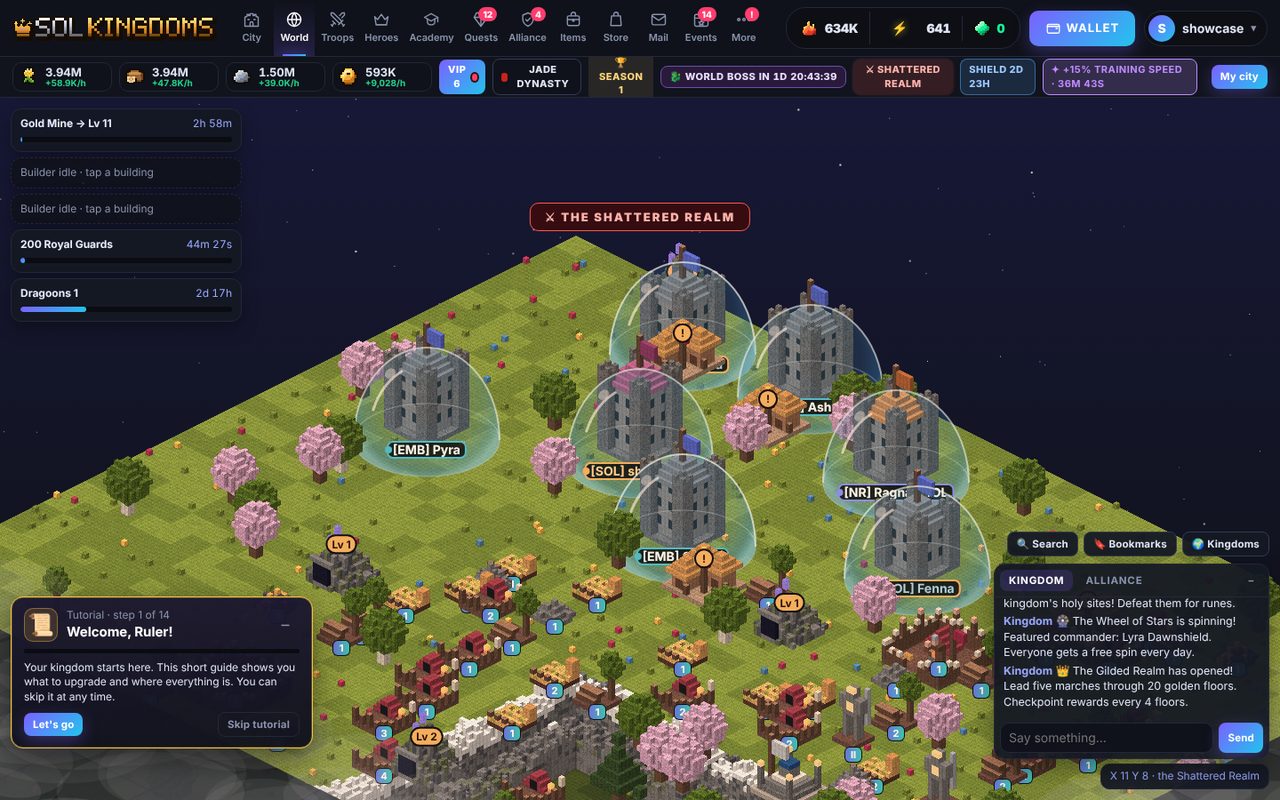
Tap World. Drag to move and scroll to zoom. Tap anything to open its menu. The ✕ button or tapping elsewhere closes it.
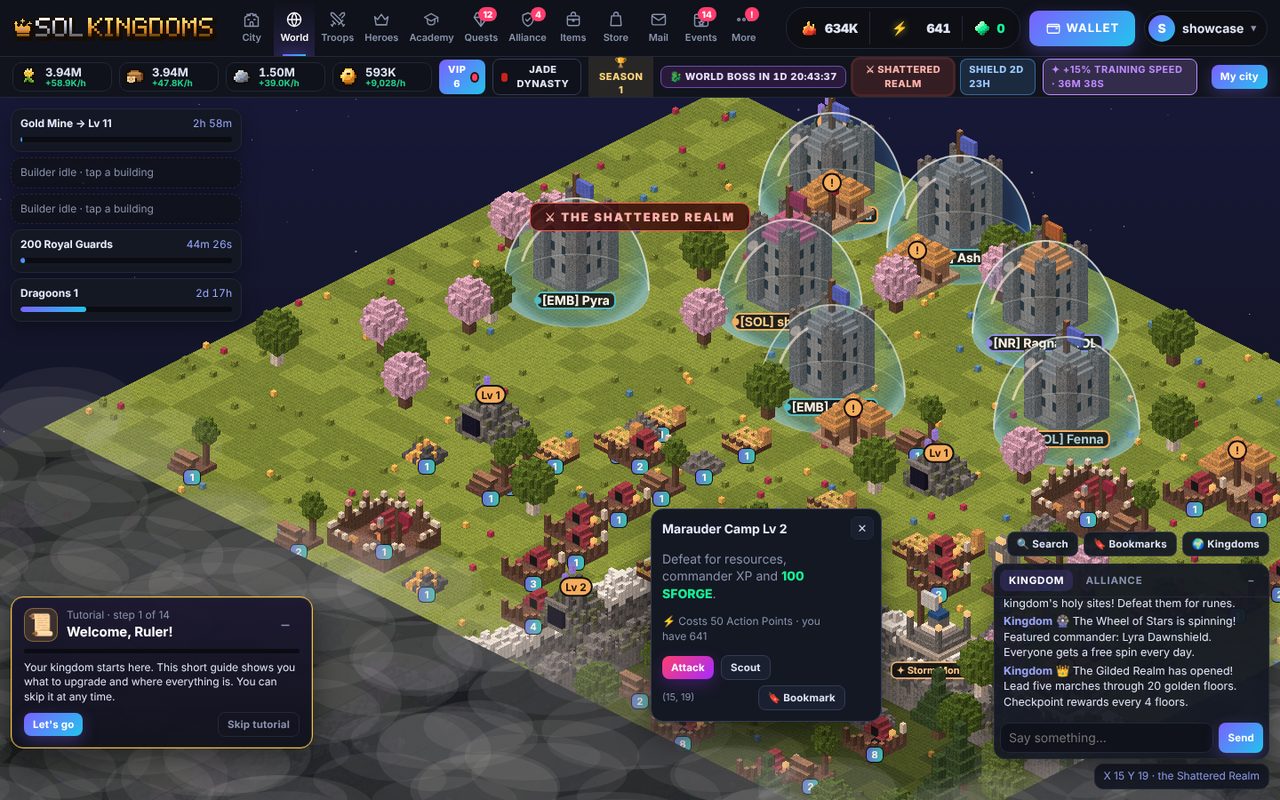
- Fog of war: most of the map starts covered. Send scouts from the Scout Camp; a rider gallops out and clears a path three squares wide (the square it rides through and one on each side) along the whole route, then a wider area at the destination. Explorers find Nomad Camps and Hidden Grottoes with free rewards.
- Marauders: attack camps level by level for resources, commander XP and SFORGE (50 × camp level). You must beat each level before the next.
- Gathering: send troops to a resource field. Load depends on troop type and research.
- Marches: each march shows its troop type on the map (shields, bows, horses or catapults). You can recall any march before it arrives.
- Shields: a city in a bright blue bubble is protected and can't be attacked or scouted.
◈8. Join an alliance
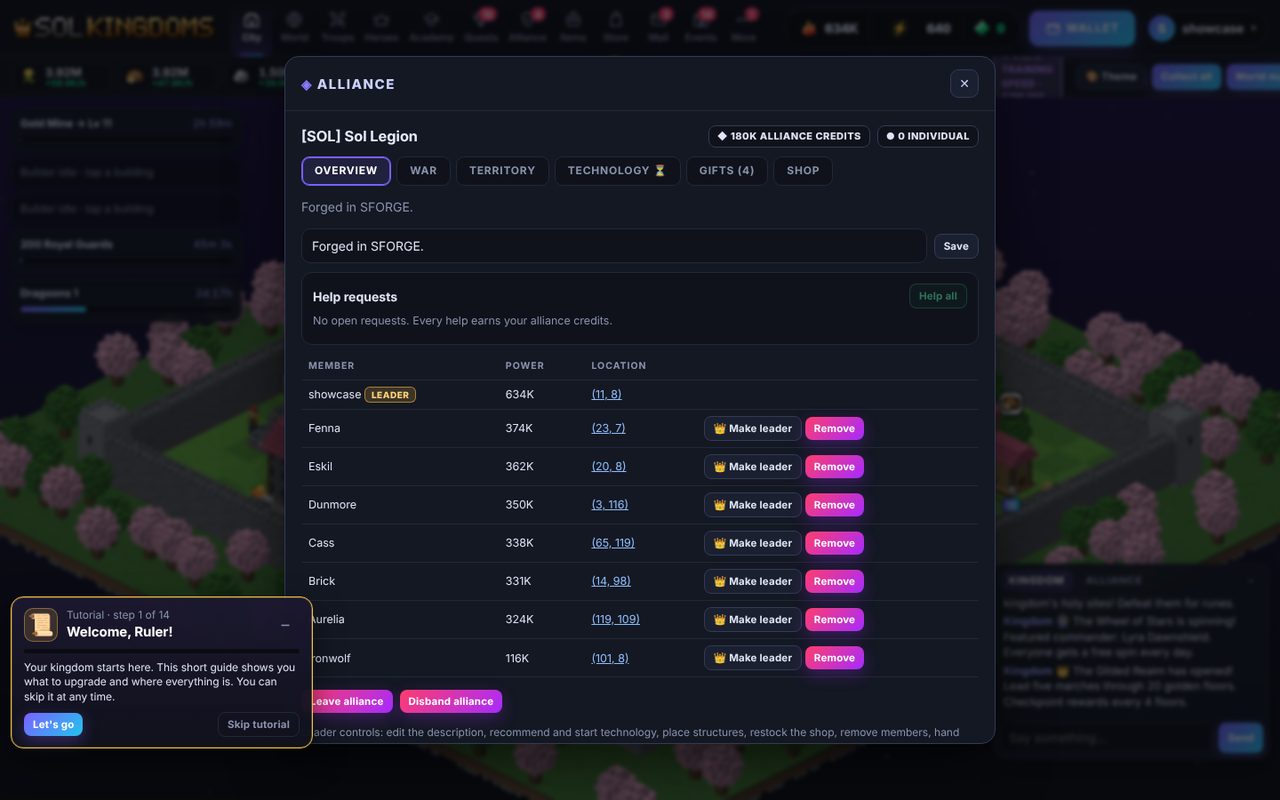
Alliances are the heart of the game. Members help each other's timers, donate to alliance technology, rally Marauder Forts and enemy cities, build territory that speeds up gathering, and share gifts. Founding an alliance costs about $10 of SFORGE (it goes to the Reward Pool), and the name and tag must be unique. Joining is free.
The leader edits the description, recommends and starts alliance technology, places structures, restocks the shop, removes members, can hand the alliance to another member (👑 Make leader) or disband it (type the tag to confirm). If the leader leaves, the strongest member takes over; the last member out closes the alliance.
◈9. Events and the campaign
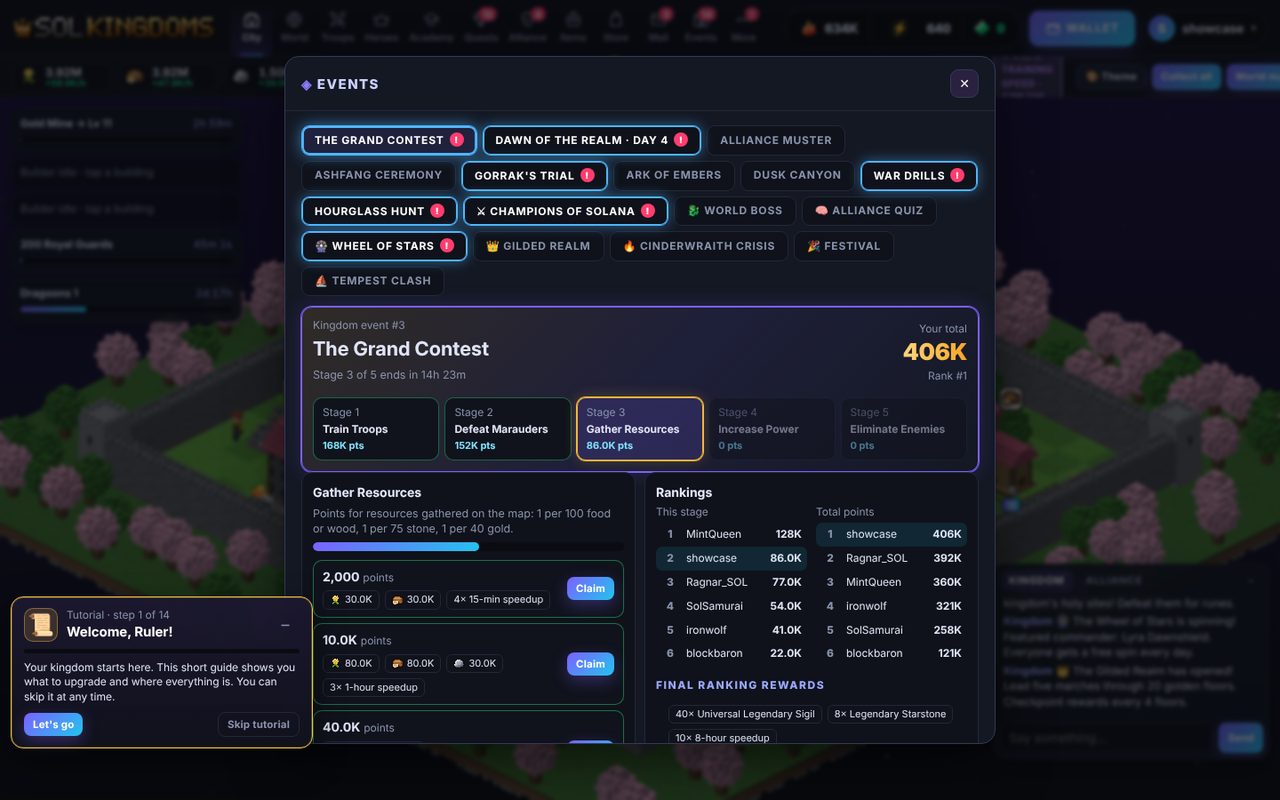
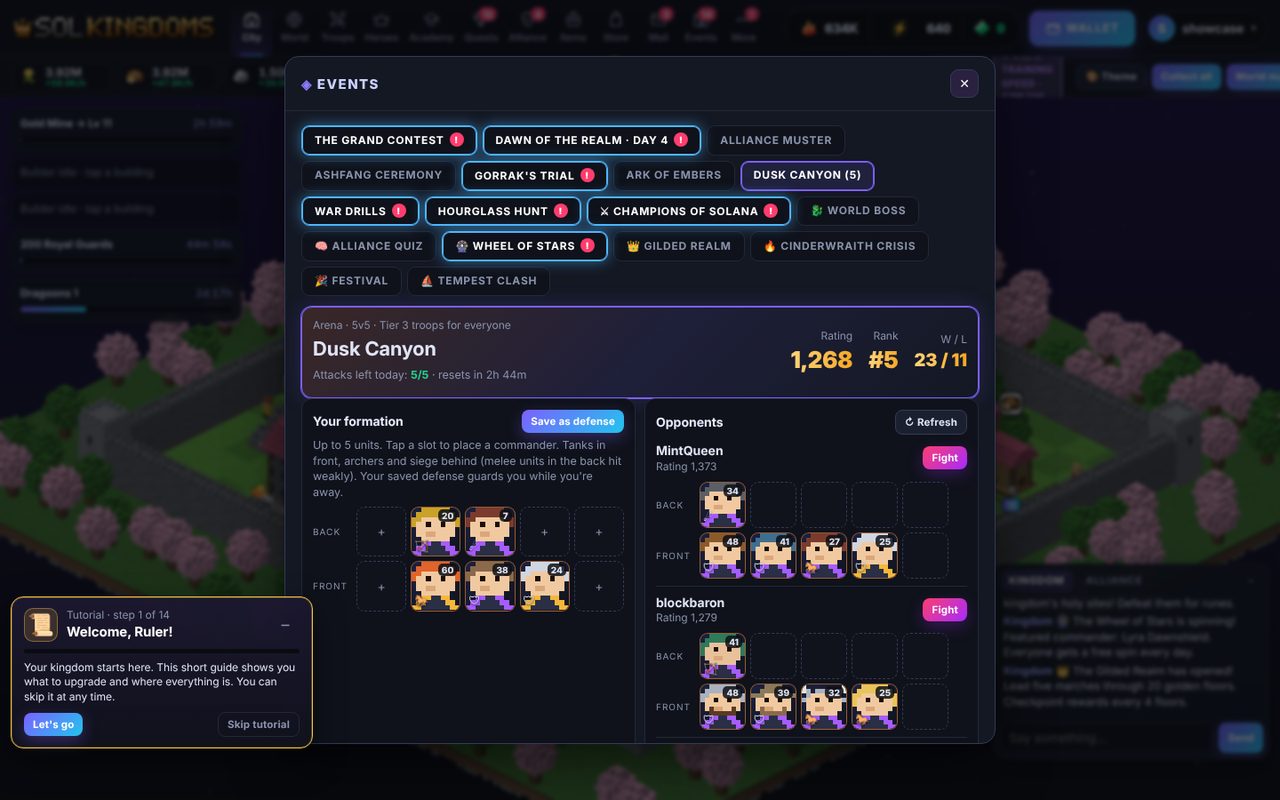
Something is always running: The Grand Contest, Dawn of the Realm for new rulers, Alliance Muster, the Ashfang Ceremony, Gorrak's Trial, Ark of Embers, Dusk Canyon, War Drills, Hourglass Hunt and Champions of Solana. Each event explains its rules on its own tab.
More events come and go: the Alliance Quiz (a live 10-question quiz your alliance leader books), the Gilded Realm (a 20-floor dungeon where your marches' losses carry over), Cinderwraith Crisis (co-op boss raids, bots fill empty seats), Tempest Clash (5v5 ship battles), seasonal festivals with tasks, tokens and a festival theme, the Wheel of Stars, and once a week a World Boss: one of ten giant monsters appears in every kingdom for 48 hours. Tap the countdown in the resource bar, find it on the map and send armies (no Action Points); rewards, including a share of 200,000 SFORGE, are paid by the damage you deal. Wheel spins and festival wishes are luck draws: prizes are in-game items only, never SFORGE, the odds are on the Docs page, and paid draws are capped per day.
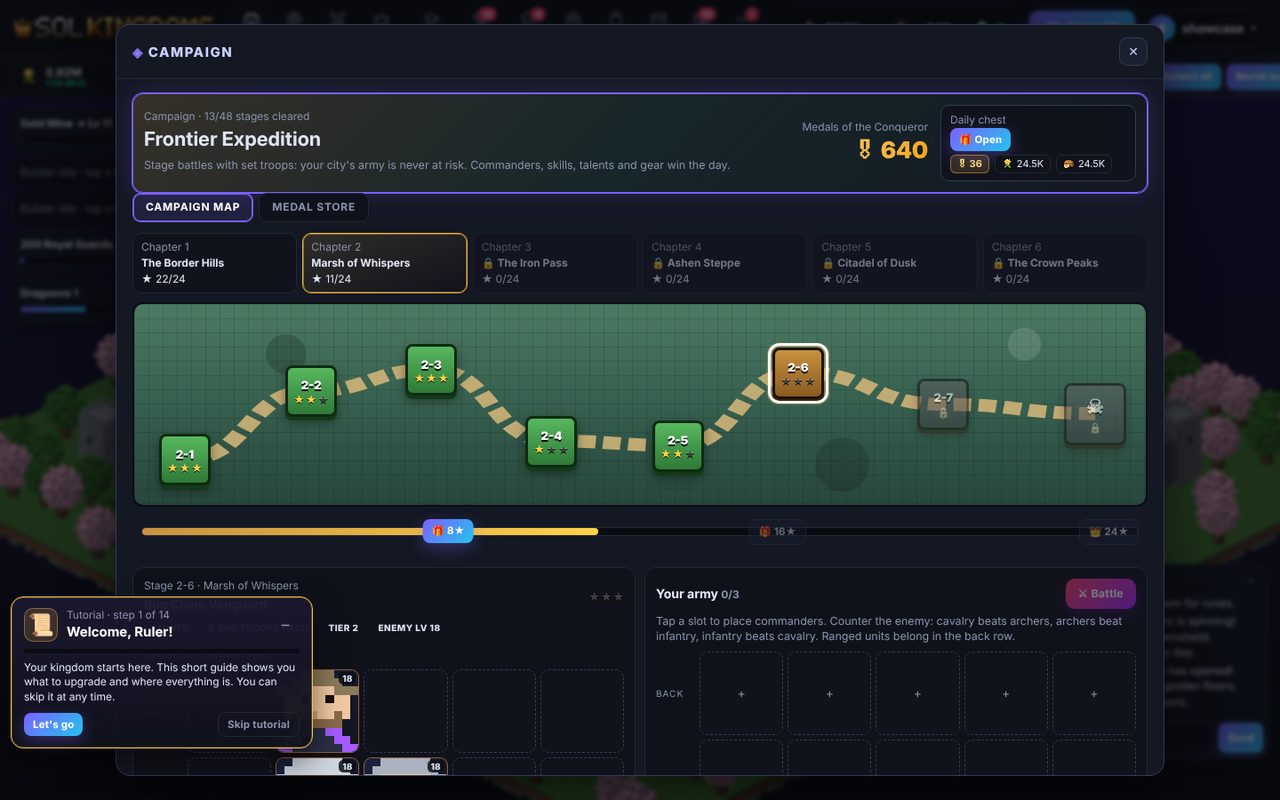
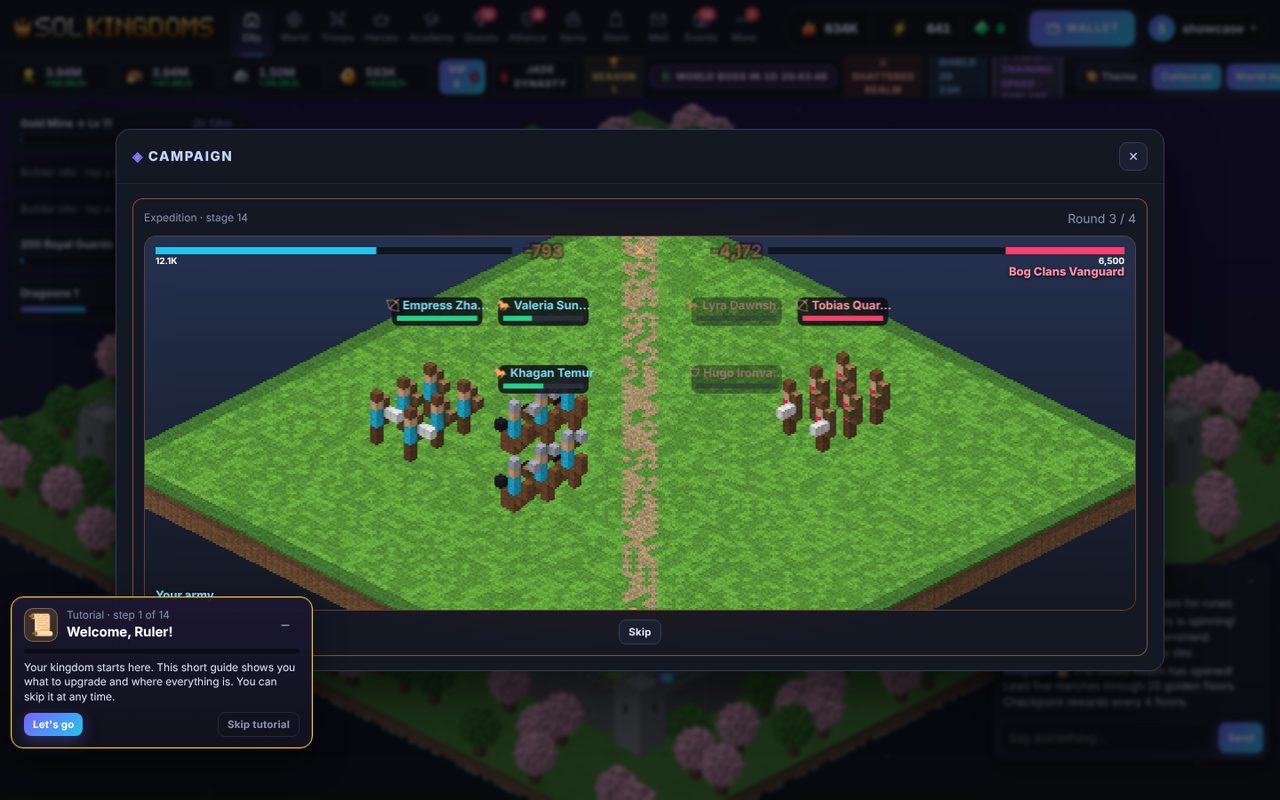
Campaign (Frontier Expedition): pick a stage, place commanders in the front and back rows (or tap Auto), and press Fight. You watch the battle play out round by round: troops charge, arrows and stones fly, and squads thin out as they lose men. You earn 1 to 3 stars depending on how many troops you lose. These troops are set by the stage, so your real army is never at risk.
◈10. SFORGE: earning, spending and your wallet
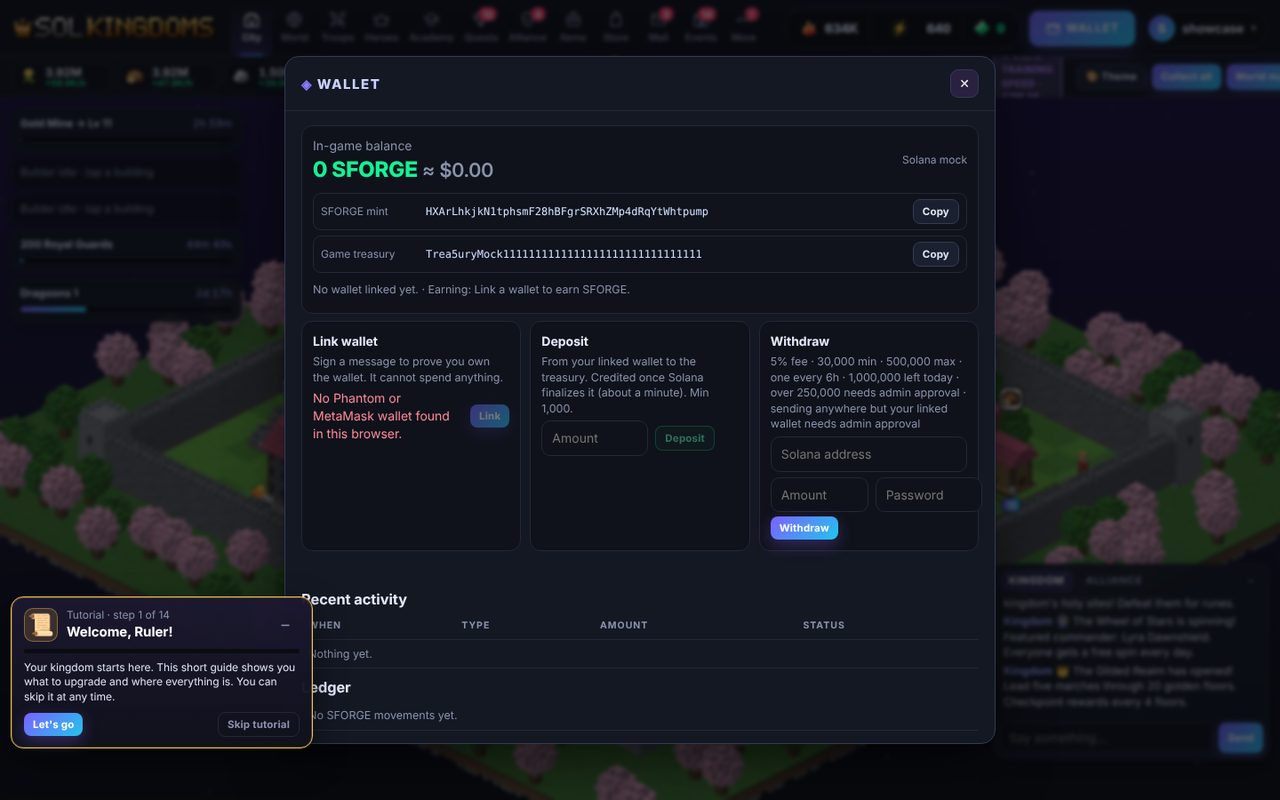
- Link a wallet (Phantom or MetaMask with Solana). You sign a message to prove you own it. Signing can't move any funds.
- Earn SFORGE from marauders (50 × level), Marauder Fort rallies (up to 300 × fort level), the daily chest (500), finishing the story (2,000) and the weekly World Boss (a share of 200,000 by damage). Earning needs a linked wallet and an account at least 24 hours old, and is capped at 50,000 a week per account.
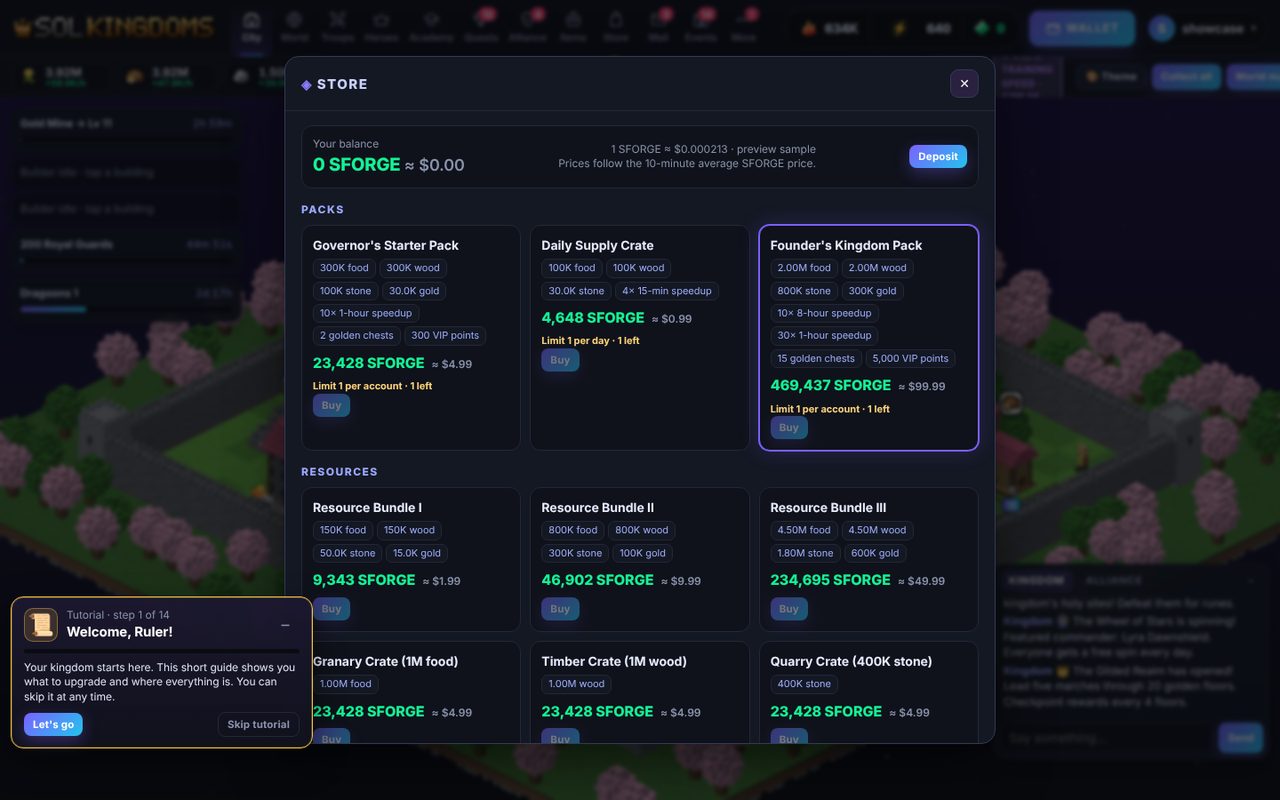
- Spend SFORGE in the Store, to finish timers, to found an alliance and on city themes. Prices are set in US dollars and charged in SFORGE at the current price (a 10-minute average).
- Deposit by sending SFORGE from your linked wallet to the treasury address shown in the Wallet. It's credited once Solana finalizes it (about a minute).
- Withdraw to your linked wallet: 5% fee, 30,000 minimum, 500,000 maximum, one every 6 hours, password required. Large withdrawals, withdrawals to another address and withdrawals within a day of linking a wallet are held for 24 hours (you get a mail and can cancel), then go out by themselves.
HXArLhkjkN1tphsmF28hBFgrSRXhZMp4dRqYtWhtpump. Blockchain transfers can't be reversed.◈11. Tips for your first week
Keep City Hall ahead
It caps every other building and unlocks new tiers and buildings.
Never leave a builder idle
The timer list shows Builder idle when a queue is free.
Join an alliance early
Help, territory, gifts and rallies make you grow much faster.
Do daily quests
Six daily quests and the daily chest pay every day.
Explore the fog
Villages and caves give free resources and items.
Watch your shield
Before your beginner shield ends, put a peace shield up or keep your troops safe in the Hospital.